I first noticed the crack in 622’s taper course when I was putting together the slides for my recent clinic on modern tools. Just before going to prime all the parts, I decided there was no point in seeing if it was serious enough to fix.

I made the original taper course from .010″ styrene, around a long-since recycled paper template, which I’d made by trial and error. The .010″ styrene reacted poorly with the solvent I used to fix it in place. Filling in the gaps only made it worse as the solvent in the putty also ate the material. I decided to make a new course out of .020″ styrene, thinned to .010″ at the rear edge where it needed to mate with the .010″ wagon top.
However, in the months since I made the original course, I’d come up with an idea to use OnShape’s Sheet Metal Model feature to lay out the material, rather than using trial and error. The proof of concept utilized two polygons of different sizes, but the same number of sides, and OnShape was able to produce a sheet metal model of the resulting faceted cone.
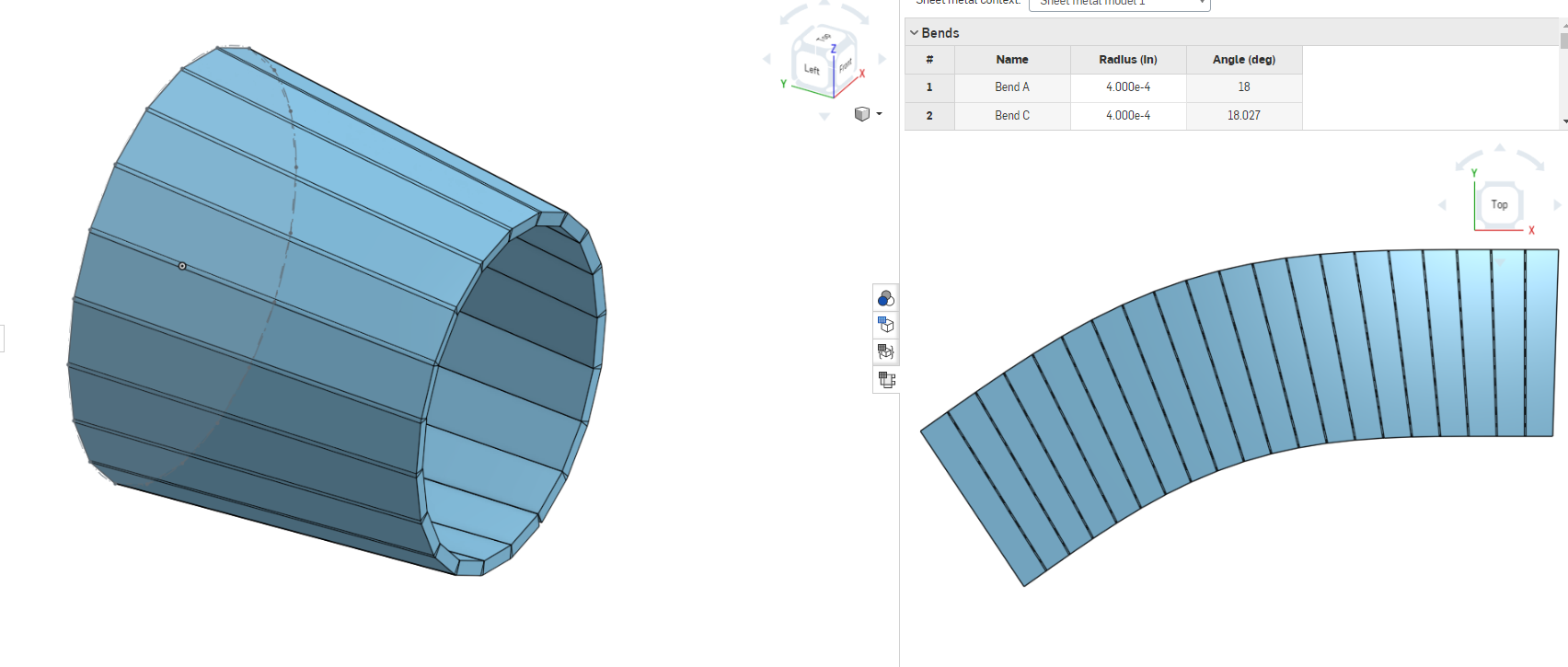
Unfortunately, when I applied the same idea to 622, where the wagon top course has a short straight section on the flanks, OnShape wasn’t able to produce a nice faceted shape, and thus the sheet metal model failed.
It became a battle of wills: how could I force OnShape to make a sheet metal model out of a loft? I realized that the differing shapes at the two ends of the cone meant that planar faces would have to be triangular, not quadrilateral. No options on the Loft feature seem to make the loft anything other than smooth.
Finally, after several different approaches, I created planes with two points on the corners of the front polygons and a point on a vertex of the rear polygon. Then I used these to carve away an extrusion of the rear polygon.
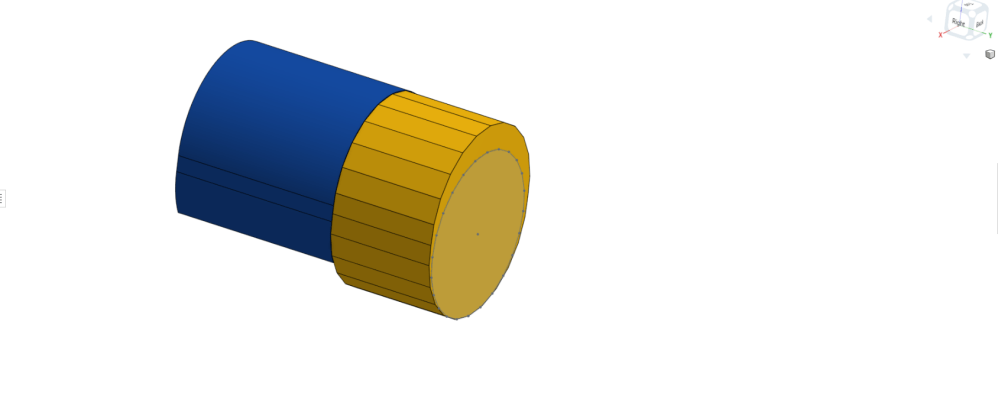
A polygon was circumscribed inside the wagon top and extruded to make a block. 
Planes were used to split the part, carving the taper. 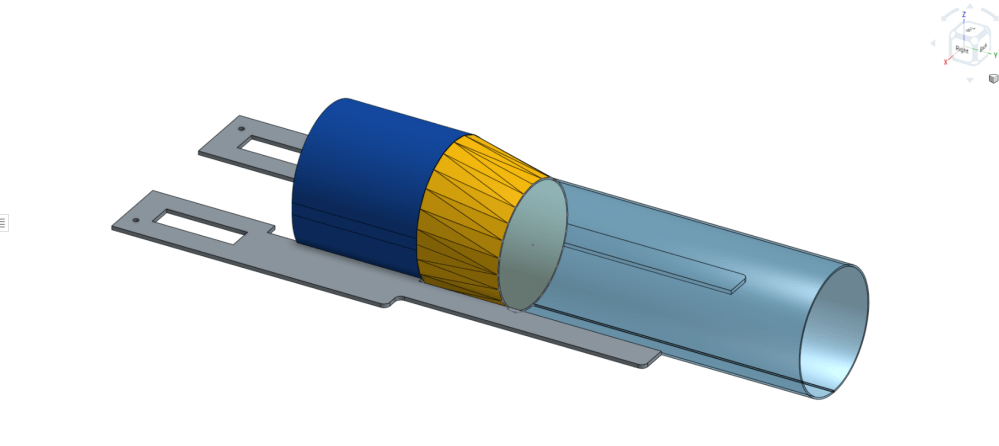
The resulting triangles are all, by definition, planar and can be exported as DXF files



Now I had a properly faceted solid, and I felt I should have been able to make a sheet metal model out of it. However, even that did not work. OnShape wouldn’t let me bend all the joints, and some of the triangles lost their points. I monkeyed with all the parameters to no avail, and we adjourned until the next day.
Overnight, I realized I could export each of the faces as DXF files, and stitch them together in Inkscape, effectively making my own sheet metal model. So the next day, I exported 22 nearly identical triangles out of the one program and importing them into the other. Getting them in the right order took a monumental amount of concentration. OnShape and I called it a draw.
Once in Inkscape, I stitched the triangles together, and rotated them so they were aligned along their adjacent edges. The resulting 46 straight shapes make a very smooth curve, but I traced them with a spline to make the curve even smoother. I found that choosing every other vertex was sufficient. So perhaps, I could have been successful with only 20 sides, rather than 46.

 Pembroke:87
Your persistence with that drawing is admirable Rene. I’m stuck on a few shapes right now and had to take a break a while ago.
Thought I’d share a product suggestion that has been very useful in my modelling and might have worked with your original styrene part or on the new one. For me, while Bondo (or Squadron and other fillers) have their uses, I fight them with their tendency to damage styrene.
So I have now started to use Aves Epoxy Clay – the Fixit Sculpt product.
It’s a two part material – but not fussy about the proportions. It fills, smooths with a drop of water (or – better – their safety solvent), cleans off nearby details using the same solvent and a brush or rag (assuming you clean it – say – in the first hour), holds like a bear, and is easy to finish (similar to regular styrene). It has its own strength and won’t crumble when hard. And because it doesn’t use solvents, the styrene is unaffected. It’s a material that has a lot of uses in our hobby. Only 2 issues – in the 4 hours it takes to set up, it can sag or “flow” very slowly, and it takes 24 hours to cure to the point that it takes sand paper or other finishing. Those are both easy to manage.
Thanks Rob. It sounds like magic! I’ll have to procure some.